Adobe Podcast AI Review – The Studio-Quality Audio Tool That Makes Anyone Sound Pro


Creating clean, professional-grade audio can be difficult — background noise, echo, bad mic quality, and uneven volume are every creator’s nightmare.
Adobe Podcast AI (formerly Project Shasta) changes that.
This innovative tool uses advanced AI to clean, enhance, and equalize voices — making recordings sound like they were captured in a high-end studio, even if they came from a basic microphone.
Whether you’re a podcaster, YouTuber, journalist, educator, or business professional, Adobe Podcast AI helps sharpen your voice, remove noise, and streamline your recording workflow.
This isn’t just audio editing…
It’s AI-powered voice engineering for everyone.
💡 What Is Adobe Podcast AI?
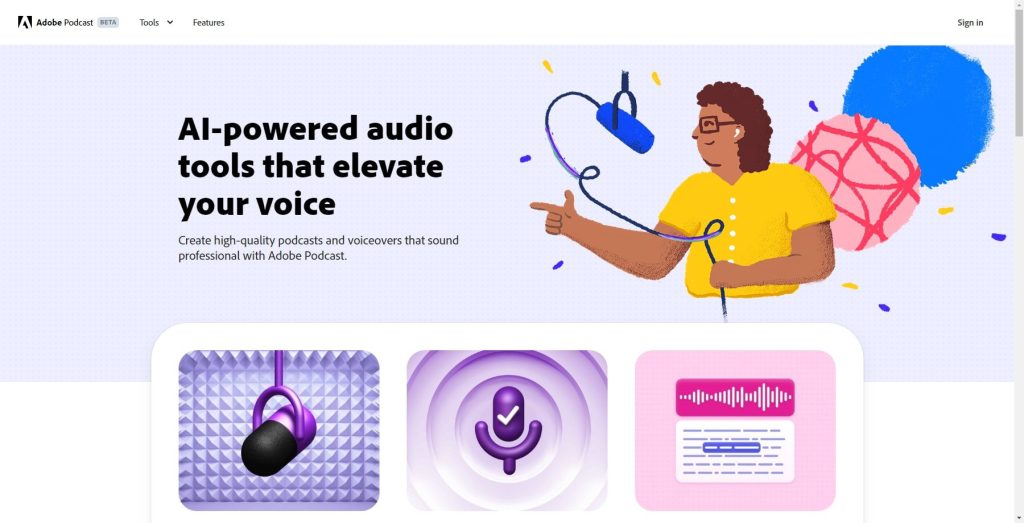
Adobe Podcast AI is a web-based audio enhancement tool designed to help creators record, edit, and polish spoken audio using artificial intelligence.
It improves clarity, removes background noise, adjusts volume levels, and delivers studio-quality sound — instantly.


Perfect for:
🎙️ Podcasters
🎥 YouTubers & Creators
📚 Educators
📰 Journalists
💼 Business Teams
🎧 Voiceover Artists
Whether recording from home, outdoors, or on the go — this tool makes sure your voice sounds clean, warm, and professional.
🔑 Key Features of Adobe Podcast AI
🎤 Enhance Speech – AI cleans audio and boosts clarity
🚫 Noise & Echo Removal – Eliminates background noise and room reverb
✂️ Text-Based Editing – Edit audio by editing text
🗂️ Project Manager – Organize files & collaborative workflows
🎙️ AI Mic Magic – Turns low-quality audio into studio-grade sound
🔁 Auto-Leveling – Smooth volume across the whole track
👥 Remote Recording – Invite guests to record from anywhere
🎛️ Mic Check Tool – Real-time feedback to improve recording
🌐 Browser-Based – No installation needed
🌟 Why We Loved Adobe Podcast AI
Adobe Podcast AI stands out because it makes professional audio accessible to everyone — regardless of editing skills or equipment.
Its Enhance Speech feature is remarkably powerful:
Even low-quality phone recordings can sound studio-grade.
Other highlights include:
✅ Incredibly easy to use
✅ Removes noise & echo flawlessly
✅ Speech enhancement feels magical
✅ Text-based editing simplifies workflow
✅ Perfect for remote interviews & podcasts
It’s like having an audio engineer built into your browser.
⚠️ Areas for Improvement
While extremely useful, it has room to grow:
💵 Premium features require subscription
🎵 Limited music mixing tools
🎚️ No advanced mastering controls
🌐 Internet connection required
Still, for spoken-word creators, it’s one of the best tools available.
🚀 How to Use Adobe Podcast AI
1️⃣ Visit Adobe Podcast AI
2️⃣ Upload or record your audio
3️⃣ Apply Enhance Speech
4️⃣ Edit using text-based transcript
5️⃣ Download your clean, polished track
✅ Pro Tip:
Record in a quiet room with any mic — even a phone — then run it through Enhance Speech for near-studio results.
🏁 Final Verdict
Adobe Podcast AI (Project Shasta) is a powerful tool that makes studio-quality audio achievable for everyone.
Its speech enhancement is truly transformative — delivering clean, professional sound with a single click.
For podcasters, creators, and remote teams who need reliable, high-quality audio without complex editing tools, Adobe Podcast AI is a game-changing solution.
If your goal is to sound better — fast — this is one of the best tools you can use.
✅ Our Favorite Feature
Enhance Speech — the AI engine that turns any rough recording into a polished, studio-quality voice track.
🎙️✨ A must-have for serious audio creators.
You Might Also Like;









